
Add a countdown timer
Updated yesterday
Countdown timers are available in Cama version 3 and later.
A countdown timer is a clock that counts down to zero from a set time, commonly used to track time until an event or deadline on your store.
Add a countdown timer
You need access to Settings > Custom data in your Shopify admin to create the metaobject definition.
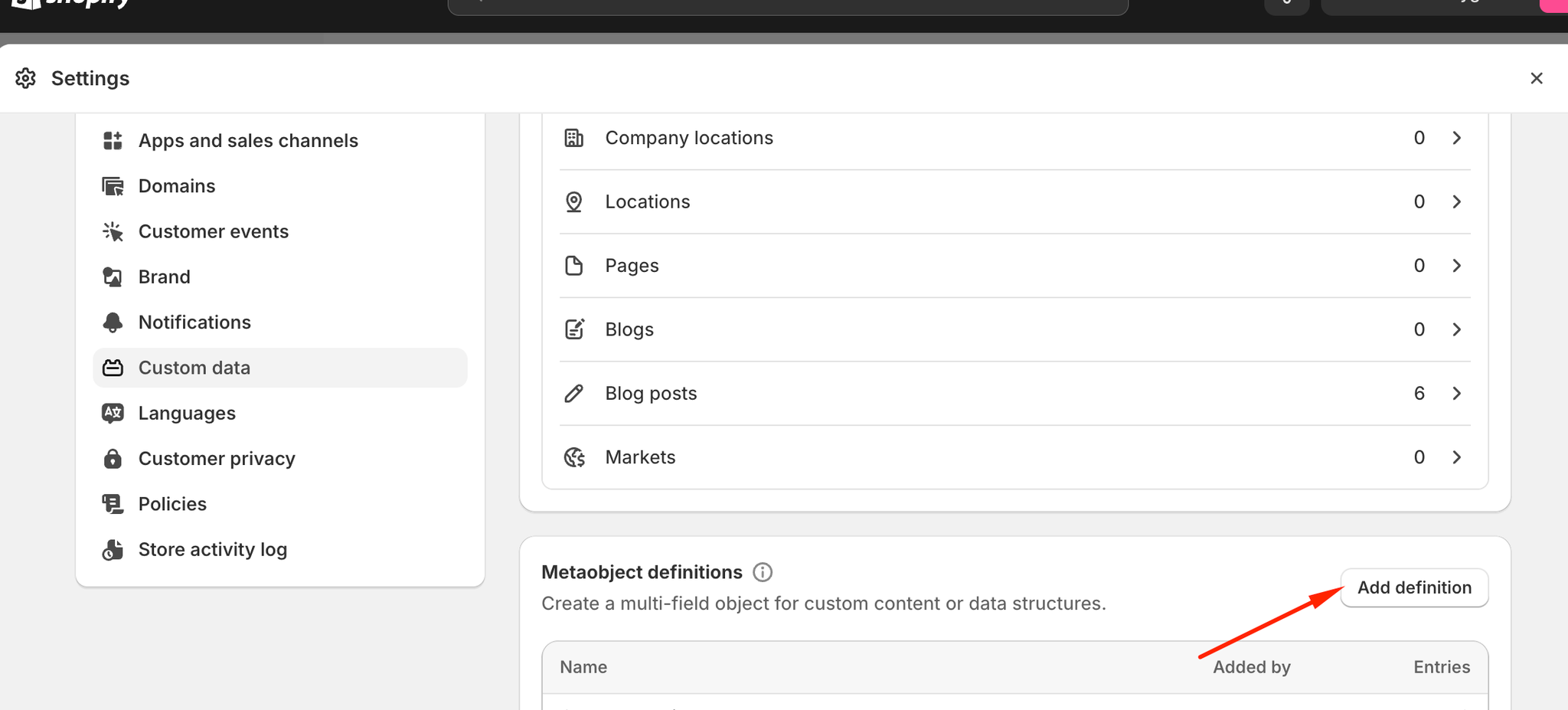
In Shopify admin, go to Settings > Custom data > Metaobject definitions and create a new metaobject.
Add a field named exactly
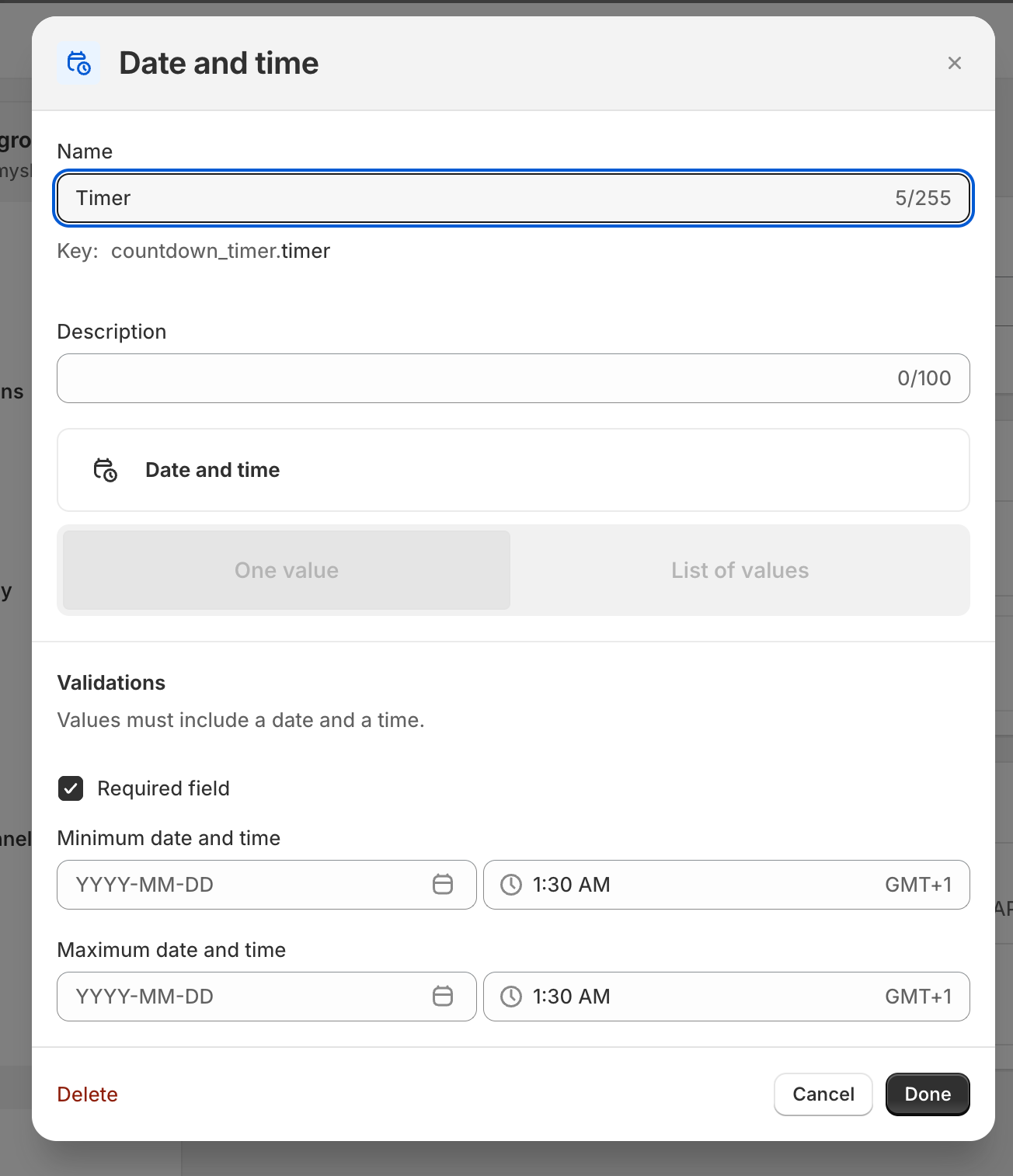
Timerwith type Date and time, and use the exact same names as shown.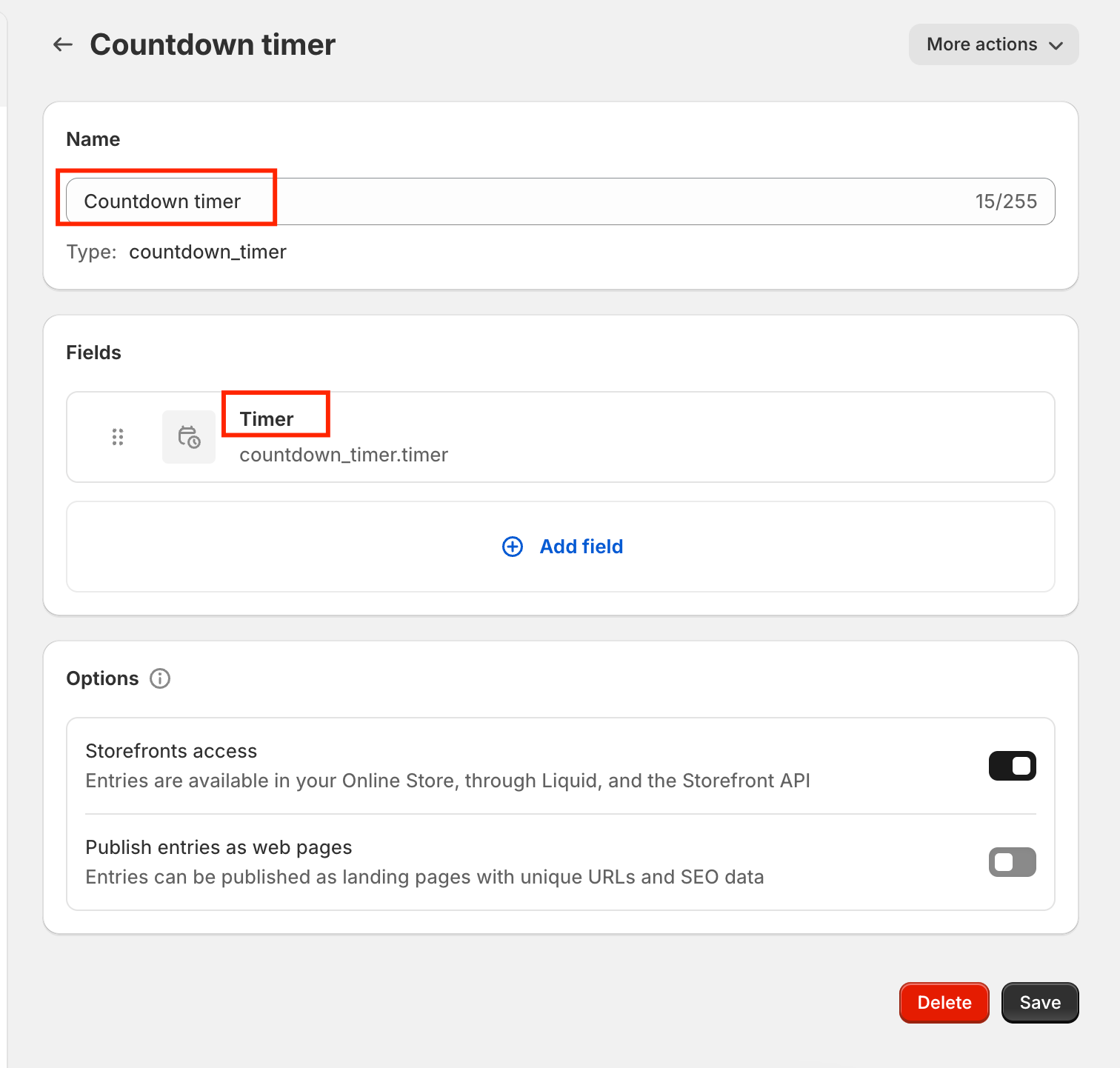
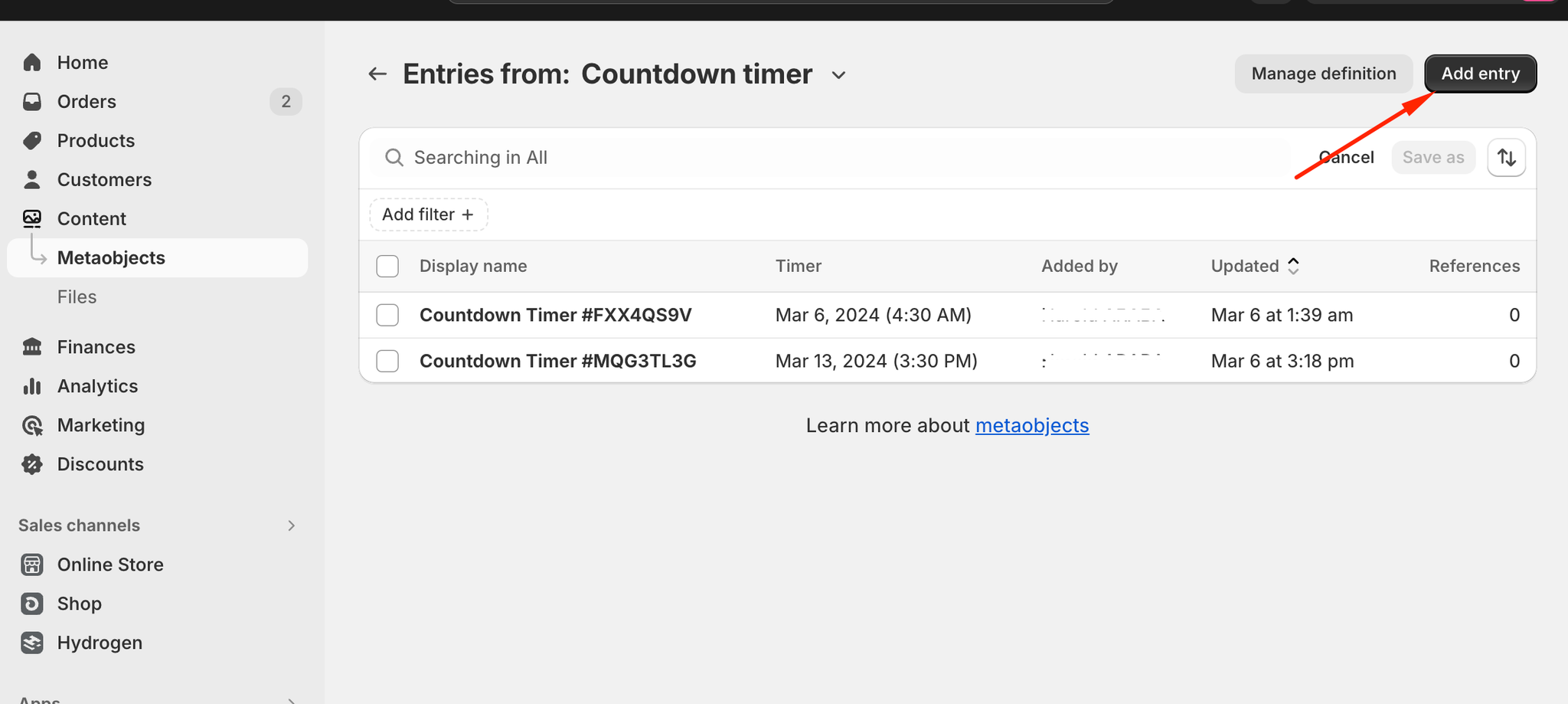
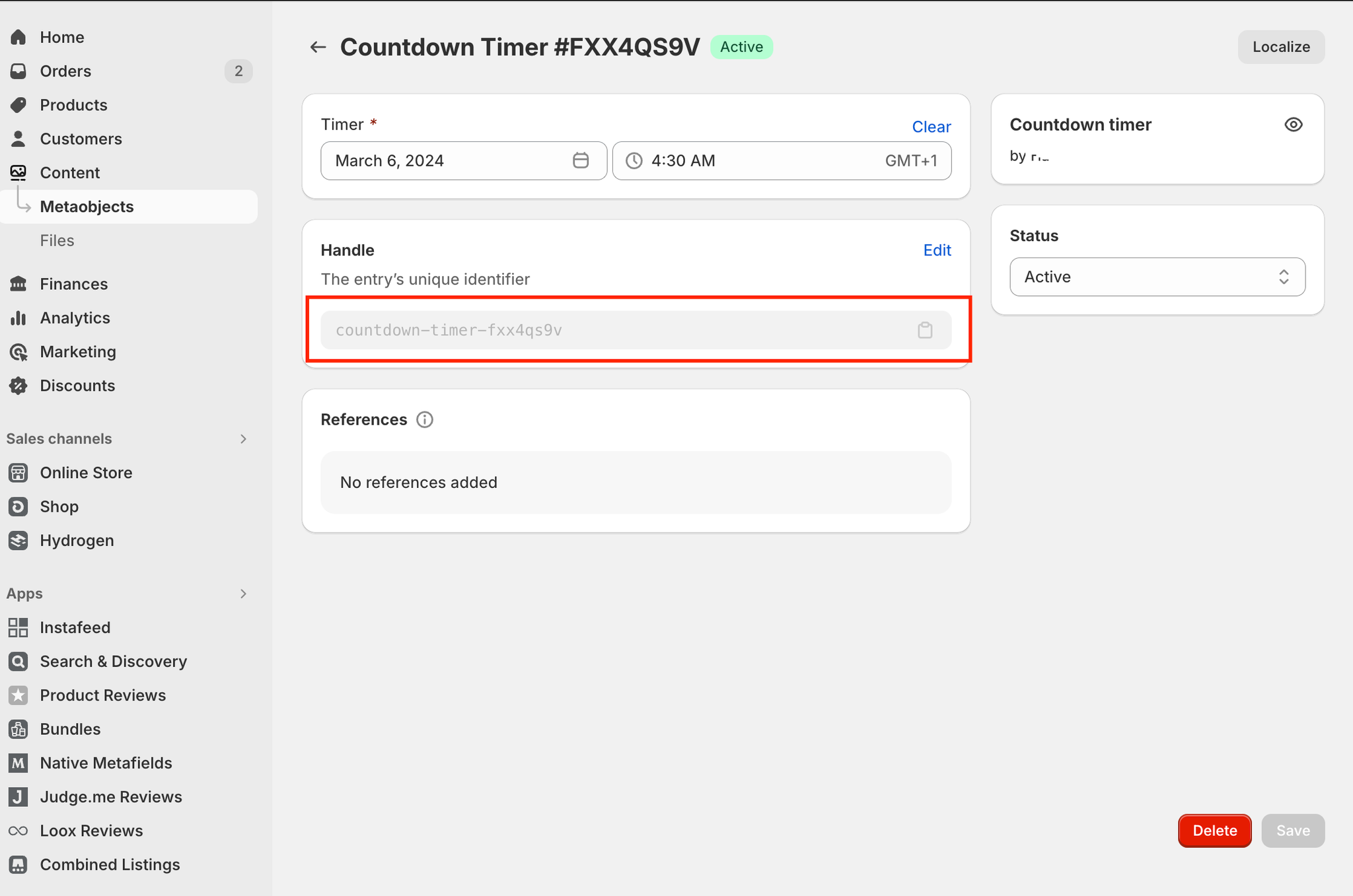
In Content > Metaobjects > Countdown timer, create an entry and set the timer date and time.
Copy the entry's handle and paste it into any section that accepts a countdown timer, such as the announcement bar.
The field name must match exactly, or the countdown timer section won't find the value.